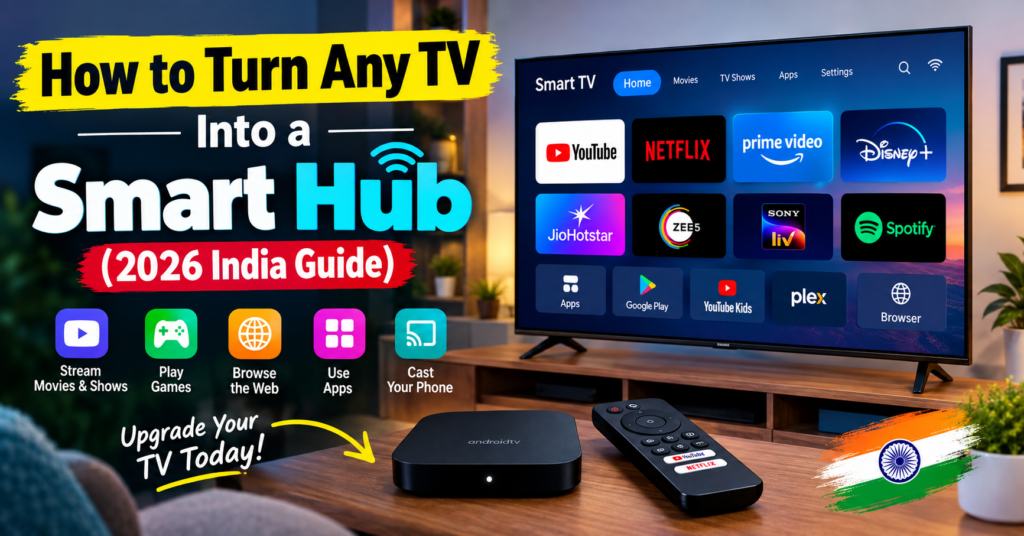
How to Turn Any TV Into a Smart Hub (2026 India Guide)
Learn how to turn any TV into a smart hub with a Fire TV Stick, Chromecast, TV box or laptop. Step-by-step setup, cost in India, and stick vs box compared.
Friends, if you have an old LED TV lying at home that still has a great display but no apps, no Wi-Fi, and no Netflix button on the remote — you don’t need to replace it.
You just need to learn How to Turn Any TV Into a Smart Hub.
A smart hub doesn’t just mean watching YouTube. It means one TV that handles OTT apps, screen mirroring from your phone, music, gaming, live TV, and even your smart home devices. And the good news is, any TV with an HDMI port — even a 10-year-old 32-inch non-smart TV — can do this for under Rs. 6,000.
Let’s break down the exact methods, costs in India, and which one is right for you.
Buy: Amazon Fire TV Stick 4K Select
What Does “Smart Hub” Actually Mean?
Most people think smart TV = Netflix app. That’s only half the story.
A true smart hub does 4 jobs:
- Streaming: Netflix, Prime Video, Disney+ Hotstar, JioCinema, Zee5, SonyLIV
- Casting & Mirroring: Send phone screen, photos, and laptop to TV in one tap
- Apps & Gaming: App store, casual games, music apps like Spotify and JioSaavn
- Control: One remote + voice control for TV, soundbar, and even lights with Alexa or Google Assistant
If your current TV can’t do all four, it’s not a hub yet. After this guide, it will be.
What You Need Before You Start
You don’t need technical knowledge. Just check these three things:
1. HDMI port: Almost every flat TV after 2010 has it. That’s your entry ticket. If you have only VGA (very old box TV), you’ll need an HDMI-to-AV converter for Rs. 800-1,200.
2. Stable Wi-Fi: Minimum 10 Mbps for HD, 25 Mbps for 4K. No need for fibre — a basic JioFiber or Airtel Xstream plan is enough.
3. Power socket near TV: All sticks and boxes need USB power. Most TVs can power them via USB port, but a wall adapter is more stable.
That’s it. No technician needed.
6 Proven Ways to Turn Any TV Into a Smart Hub
1. Amazon Fire TV Stick — Best for Most Indian Homes
If you want one answer for how to make normal tv to smart tv , this is it.
The amazon fire tv stick plugs into HDMI, connects to Wi-Fi, and gives you a full Fire OS interface with all Indian OTT apps, Alexa voice remote, and screen mirroring.
Why it works so well in India:
- Interface optimized for low-bandwidth Wi-Fi
- Alexa understands Hinglish commands
- Direct buttons for Prime Video, Netflix, and Amazon Music
- Supports JioCinema, Hotstar, Zee5, SonyLIV, Sun NXT
Also Read: How to Clean Your TV Screen Safely Without Scratches or Streaks
Which one to buy:
- Fire TV Stick HD — Rs. 5,999 — Best for 32″ to 43″ HD / Full HD TVs
- Fire TV Stick 4K — Rs. 7,999 — Best if you have a 4K TV or plan to buy one
- Fire TV Cube — Rs. 12,999 — Only if you want hands-free Alexa without remote
For 90% of USNMix readers with an old tv to smart tv upgrade plan, the HD stick is enough.
2. Chromecast with Google TV — Best for Android Phone Users
Google’s option is perfect if you live in the Android ecosystem.
Plug it in, sign in with your Google account, and you get Google TV home screen, Google Assistant voice search, and flawless casting from any Android phone, Chrome browser, or YouTube app.
Pick this if:
- You use Google Photos and want them as screensaver
- You cast IPL matches or YouTube reels daily
- You have Google Nest speakers and want “Hey Google, play movies on TV”
Downside in India: Offline availability is inconsistent and price is usually Rs. 1,000-1,500 higher than Fire Stick for similar performance.
3. Android TV Box (Mi Box, Nokia Box, Realme Stick) — Best for Storage and Customization
A fire tv stick is a stick. A box is its bigger brother.
Popular options: Xiaomi TV Box S (2nd Gen) ~Rs. 6,499, Nokia Media Streamer ~Rs. 5,499.
Choose a box if you want:
- USB port to play movies from pen drive / hard disk
- Ethernet port for stable wired internet
- More storage for apps and games
- Stock Android TV interface without Amazon ads
This is the best route for turn old tv into smart tv in villages or areas with weak Wi-Fi, because you can use LAN cable + downloaded content.
4. Apple TV 4K — Best for iPhone + Premium Home
At Rs. 14,900, this is not for everyone. But if you own an iPhone, iPad, and AirPods, nothing beats it.
You get zero ads, fastest interface, Apple Arcade gaming, iCloud Photos on big screen, and you can use your iPhone as remote and keyboard. AirPods connect instantly for late-night viewing.
Buy only if you already live in Apple ecosystem. Otherwise, Fire Stick gives you 90% features at 40% price.
5. Laptop / Mini PC via HDMI — Zero-Cost Method
Already have a laptop? You already have a smart hub.
Connect laptop to TV with HDMI cable (Rs. 299), press Windows + K or use Chrome > Cast, and your TV becomes a 43-inch monitor for Netflix, Hotstar, Zoom calls, and browsing.
Best for:
- Students and work-from-home users
- Watching web series on browser without buying anything
- Occasional use, not daily family use
Limitation: No TV remote, laptop must stay on, and not wife/kids friendly for daily use.
6. DTH / Operator Set-Top Box — The Hidden Option
Airtel Xstream Box (~Rs. 2,500 + plan) and Jio STB already run Android TV. If you are about to recharge DTH anyway, upgrade to their Android box instead of a normal box.
You get Live TV + all OTT apps in one remote and one HDMI port. Very practical for parents who still want numbered channels.
Stick vs Box: Which Should You Buy?
This is the most common confusion for turn normal tv into smart tv buyers.
| Feature | Stick (Fire Stick / Realme Stick) | Box (Mi Box / Apple TV) |
|---|---|---|
| Price in India | Rs. 4,000 – 8,000 | Rs. 5,500 – 14,900 |
| Best for | 32″-55″ TVs, easy setup | 4K TVs, pen-drive movies, gaming |
| USB / LAN Port | No | Yes |
| Performance | Good | Faster, less lag |
| Portability | Carry in pocket for hotel use | Stays at home |
Simple rule: Buying for bedroom 32-inch TV? Get a stick. Buying for main hall 55-inch 4K TV? Get a box or 4K stick.
Step-by-Step Setup (Works for All Devices)
Here’s the universal setup for How to Turn Any TV Into a Smart Hub:
Step 1: Plug in Insert stick/box into HDMI 1 port of TV. Connect power adapter to wall socket (don’t rely only on TV USB).
Step 2: Select source Turn on TV > Press Source/Input > Select HDMI 1. You will see setup screen.
Step 3: Pair remote Hold Home button for 10 seconds as shown on screen. Remote will pair via Bluetooth.
Step 4: Connect Wi-Fi Select your home Wi-Fi > Enter password. Keep TV and router in same room for first setup for faster updates.
Step 5: Sign in Sign in with Amazon / Google / Apple ID. This one login unlocks app store and purchases.
Step 6: Install must-have Indian apps Install: Prime Video, Netflix, Disney+ Hotstar, JioCinema, Zee5, SonyLIV, YouTube, Spotify.
Step 7: Enable mirroring On Fire Stick: Settings > Display & Sounds > Enable Display Mirroring. On Google TV: No setting needed, just tap Cast icon on phone.
Total time: 12-15 minutes.
How Much Does It Cost in India? (2026)
| Method | Approx. Cost | Ideal For |
|---|---|---|
| Fire TV Stick HD | Rs. 5,999 | how to turn your non smart tv into a smart tv on budget |
| Fire TV Stick 4K | Rs. 7,999 | 4K TV owners |
| Xiaomi TV Box S | Rs. 6,499 | Pen-drive + LAN users |
| Chromecast Google TV | Rs. 7,499 | Android users |
| HDMI Cable (laptop method) | Rs. 299 | Zero-budget setup |
No monthly fee for the device itself. You only pay for OTT subscriptions you choose.
Pro tip from USNMix: Wait for Amazon Great Indian Festival or Flipkart Big Billion Days. Sticks regularly drop to Rs. 3,499 – Rs. 4,999.
Also Read: ViewSonic Google TV Series
Make It a TRUE Hub: 3 Pro Settings Most People Miss
- Add voice control: Link Fire Stick to Alexa app or Google TV to Google Home. Now “Alexa, switch on TV” or “Ok Google, play Bigg Boss on TV” works even when remote is lost.
- Control soundbar with same remote: Go to Settings > Equipment Control > Add Soundbar. Your Fire Stick remote will now control TV + soundbar volume together. No more two remotes.
- Turn phone into remote: Install Fire TV app or Google TV app. It gives you keyboard typing — searching “Mirzapur Season 3” by typing is 10x faster than clicking letters with remote.
Once you do these three, your normal TV behaves like a Rs. 50,000+ premium smart tv.
Troubleshooting: If Something Doesn’t Work
No signal on TV? Try HDMI 2 port, and change TV resolution from Auto to 1080p 50Hz. Old TVs struggle with Auto 4K signal.
Wi-Fi buffering? Move router closer or switch video quality to 720p in app settings. For roku streaming stick style devices and Fire Stick, a Rs. 1,200 Wi-Fi extender near TV solves 80% buffering.
Remote not working? Replace with fresh alkaline batteries, then hold Home for 10 sec again near TV. Bluetooth needs line-of-sight for first pairing only.
No sound? Settings > Display & Sounds > Audio > Select PCM (not Dolby Digital) if using old TV speakers.
FAQs
Can I convert my old CRT / box TV to smart TV? Yes, but you need an extra HDMI to RCA converter. Picture quality will stay low because the panel itself is low resolution. Better to use this method only for CCTV or music, not movies.
How to turn your TV into a smart TV without Fire Stick? Use Chromecast, Android box, or laptop via HDMI as explained above. Any of these will work without Amazon device.
Do I need a 4K TV for a smart hub? No. how to turn your tv into a smart tv works perfectly on HD Ready 32-inch TVs. Buy HD stick, not 4K, and save money.
Will my non-smart TV support screen mirroring after this? Yes. Once you add Fire Stick or Google TV, Miracast / AirPlay mirroring comes with the stick, not the TV.
Final Verdict: What Should You Buy?
Friends, if you asked USNMix for one pick:
For most Indian families in 2026, Amazon Fire TV Stick HD is the easiest way for How to Turn Any TV Into a Smart Hub. Cheap, reliable, all Indian apps, and Alexa in Hinglish.
If you are an Android lover, get Chromecast with Google TV. If you are Apple family, get Apple TV 4K. If you watch downloaded movies from hard disk, get Xiaomi TV Box.
Don’t throw away a good display just because it’s not smart. Make it smart for Rs. 6,000.
If you plan to buy, check the product link in description, and if you have any questions, comment in the comment section — we reply to every query on USNMix.
Hope you will enjoy this guide and thanks for reading.