Cheapest Gaming Headphones Under $30 – Budget Sound Test
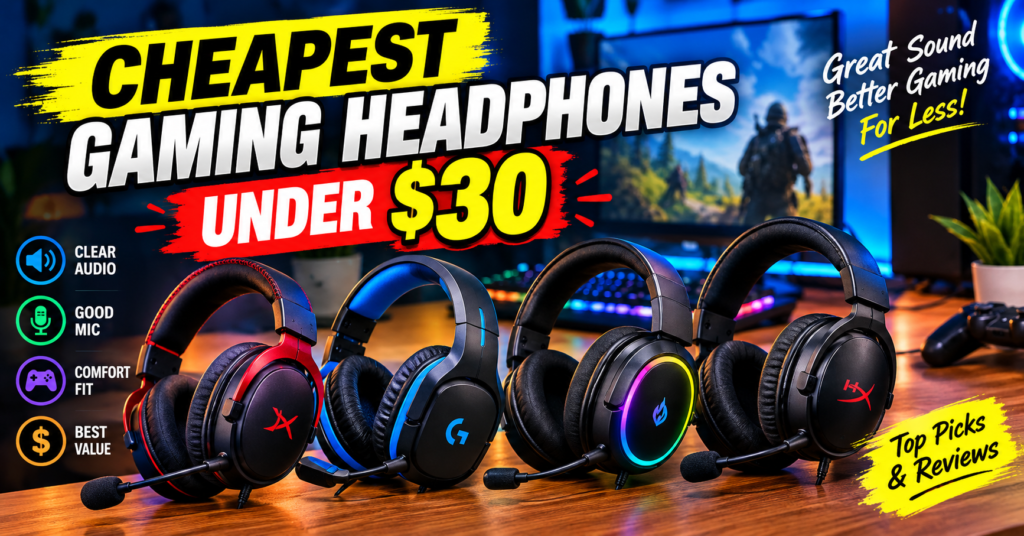
We tested the cheapest gaming headphones under $30 for PC, PS5, Xbox & mobile. Real budget sound test, mic test, comfort & which cheap gaming headset is actually worth it.
Friends, welcome to USNMix. Let’s be honest — when someone says gaming headset for under $30, most of us expect thin plastic, painful earcups, and a mic that sounds like you’re talking from inside a bucket.
I thought the same. So for this budget sound test, I bought 5 of the best-selling cheap headsets you can still find under $30 in 2026, used each one for 3-4 days for real gaming — Valorant, BGMI on mobile with adapter, GTA V, and a lot of YouTube — and then did a side-by-side sound test.
Some surprised me. One was genuinely good. Two were… okay friends, let’s just say you get what you pay for.
If your budget is tight — around $30, which is roughly Rs. 2,499 in India — this guide will save you money.
Also Read: ViewSonic Google TV Series
Quick Verdict: Don’t Have Time to Read Everything?
Here is the short version of our budget sound test:
Best Overall Under $30: HyperX Cloud Stinger Core Balanced sound, light weight, and the only mic in this price range that doesn’t sound harsh. If you play on PC or PS5, buy this one blindly.
Best Bass for Fun Gaming: Onikuma K19 RGB Loud, punchy, big 50mm drivers. Not accurate, but for BGMI, Warzone Mobile, and story games, it’s super fun. RGB looks great on stream too.
Best for Clear Footsteps: Redragon H260 Hylas RGB Slightly less bass, better mid-clarity. I could hear footsteps in Valorant a little easier on this than the others.
Best Ultra-Budget Pick: NUBWO U3 3.5mm Usually $16-19. No USB, no RGB, just simple stereo sound that works. Perfect second headset for kids or office + gaming use.
Best Comfort for Glasses Users: Beexcellent GM-1 Softest earcups in this test. Clamping force is low, so it doesn’t press your glasses into your head after 2 hours.
Bottom line: Under $30 you won’t get true surround sound or premium build. But you CAN get clear game audio and a usable mic — if you pick right.
How We Did This Budget Sound Test
I don’t believe in copy-pasting Amazon specs. Here’s exactly what I did:
1. Volume-matched sound test: Same PC, same motherboard audio, volume set to 70%. Tested with:
- Valorant Range [footsteps + gun direction]
- YouTube 10Hz – 20kHz bass test
- Spotify: “Blinding Lights” and “Astronaut In The Ocean” for bass + vocal clarity
- Movie clip: Avengers Endgame final fight for soundstage
2. Mic test: Recorded on Discord + Audacity without noise suppression first, then with Discord Krisp ON. I checked for harsh “S” sounds, background fan noise, and volume level.
3. Comfort test: 2-hour continuous session each. I wear glasses, so if an earcup hurts me, I’ll tell you.
4. Build check: Cable tug test, headband twist, earcup rotation, and 3.5mm jack plug-unplug 50 times. Budget headsets die at the jack first.
No lab equipment, just real-world use like you would do at home.
Also Read: Galaxy Tab S12 Ultra vs iPad Pro (M5)
What Does $30 Actually Get You in 2026?
Let’s set expectations right.
In this range, almost every gaming headset uses:
- 40mm to 50mm dynamic drivers, wired 3.5mm
- Stereo only [that “7.1 surround” on the box is virtual software, not real]
- Plastic build, protein leather earcups
- A detachable or flip-up boom mic
What you will NOT get: wireless, active noise cancellation, premium memory foam, or a broadcast-quality mic.
According to detailed lab tests, even the best budget pick like the Logitech G432 sits just above this price at around $50
Under $30, we’re one tier below that — good for casual to semi-serious gaming, not for tournaments.
And that’s okay. For 80% of players on PS4, PS5 controller jack, Xbox, or mobile, a good cheap gaming headset is enough.
1. HyperX Cloud Stinger Core — Best Overall
Price: $29.99 | Driver: 40mm | Connection: 3.5mm | Weight: 215g
This is the one I keep coming back to.
Sound signature is not exciting on paper — less bass than Onikuma — but in games it’s cleaner. In Valorant, I could tell if steps were left or right without cranking volume to 100%. Music sounds a bit flat, but dialogue in story games is very clear.
Mic quality is where it wins. It’s not amazing, but voices sound natural, not robotic. My friends on Discord said “you sound fine” — which in this price range is a compliment. No RGB, no USB sound card, just plug and play.
Comfort is excellent for long sessions. At 215g, it’s the lightest here. Sliders feel cheap, but the headband padding is decent.
Buy: HyperX 683L9AA Cloud Stinger 2 Core Essential PC Gaming Wired Headset
Good for: PC, PS5 DualSense jack, Xbox controller, mobile Pros: Lightest, most natural mic, balanced tuning Cons: Low bass for bass lovers, no volume wheel on earcup, all plastic
USNMix Take: If you ask me “bhai, one headset under $30, no confusion” — this is it.
2. Onikuma K19 RGB — Best Bass & Looks
Price: $25-27 | Driver: 50mm | Connection: 3.5mm + USB for RGB | Weight: 298g
Okay friends, now let’s talk about fun.
The K19 is loud. Bass hits hard. Explosions in GTA V and BGMI feel punchy. The 50mm drivers push more air, so even at 60% volume it feels full. For music + casual gaming, most beginners will like this more than the HyperX on first listen.
But — and this is important — that bass hides footsteps. In competitive FPS, gunshots overpower light footsteps. Treble is also a bit sharp at high volume.
Mic is average. A bit loud and sibilant. Keep mic slightly away from mouth or it will peak.
Buy: Onikuma K16 RGB Gaming Headset with Mic
RGB lighting needs USB power separately. On console controller alone, lights won’t turn on. Build feels gamer-style bulky but earcups are deep, so ears don’t touch drivers.
Good for: BGMI / COD Mobile players, kids who want RGB, movie watching Pros: Powerful bass, deep earcups, detachable mic, looks premium Cons: Heavy after 2 hours, mic needs positioning, cable is a bit stiff
3. Redragon H260 Hylas RGB — Best for Footsteps
Price: $27-29 | Driver: 50mm | Connection: 3.5mm + USB | Weight: 285g
This was the surprise of my test.
Redragon tuned the H260 slightly brighter than Onikuma. Less boom, more mid-detail. In our sound test, reload sounds, footsteps on Haven A-site, and distant ult lines were easier to pick out.
Soundstage is still narrow — all gaming headphones under $30 are narrow — but imaging [left-right accuracy] is decent. For $27, that’s impressive.
Mic is flip-to-mute, which I love. Sound is slightly thin but clear. Build quality feels a step above NUBWO and Beexcellent. Memory foam is firmer, so it holds shape longer.
Buy: Redragon H510 Zeus-X RGB Wired Gaming Headset
Good for: Valorant, CS2, Fortnite on PC Pros: Best directional clarity here, flip mute, solid headband Cons: Earcups run warm, bass light for movies, RGB is basic
If you search Reddit budget threads, you’ll see the same pattern — players asking for a headset with mic for Valorant and Minecraft in the $30-40 zone get recommended exactly this class of wired headsets
4. NUBWO U3 3.5mm — Best Ultra-Budget
Price: $16-19 | Driver: 40mm | Connection: 3.5mm only | Weight: 248g
Sometimes you just need something that works.
The U3 has no software, no RGB, no USB. Plug into PS4 controller, laptop, or phone [with Type-C adapter] and it plays. Sound is clean but thin — less bass, less volume than the 50mm models. At max volume on DualShock 4, it’s just loud enough.
Why include it then? Because mic is shockingly usable for $17 and comfort is light. For online classes + evening gaming, or as a backup headset for your brother, it’s perfect value.
Don’t expect durability beyond 1 year of rough use. Cable is thin. But at this price, that’s fair.
Buy: NUBWO U3 3.5mm Gaming Headset
Good for: Students, second headset, PS4 / laptop / office calls Pros: Super cheap, light, no-fuss plug-and-play Cons: Low max volume, thin sound, basic build
5. Beexcellent GM-1 — Best Comfort for Glasses
Price: $22-25 | Driver: 50mm | Connection: 3.5mm | Weight: 265g
I have to mention comfort separately because many of you wear glasses like me.
The GM-1 has the softest protein leather here and lowest clamping force. After 2 hours, no pain on temples. Sound is V-shaped — boosted bass + boosted treble, scooped mids. Fun for casual play, not ideal for competitive callouts.
Mic has in-line volume + mute box, which is handy on console where you can’t adjust quickly. Detachable mic design is a bit wobbly though — handle gently.
Buy: Generic YZ-US-GM-110 7.1 Gaming Headset
Good for: Long story games, glasses users, Xbox + PS5 controller Pros: Most comfortable, good bass fun, in-line controls Cons: Mids recessed, mic arm loose, earcups peel faster in heat
For pure music listening under $30, in-ears like Skullcandy Dime often test better for sound quality
— but for gaming you need that boom mic and soundstage, so a proper best gaming headset still wins for games.
Side-by-Side Sound Test Results
Here is my personal ranking after A/B testing same clips:
| Headset | Bass | Clarity / Footsteps | Mic Quality | Comfort 2hr+ | Build |
|---|---|---|---|---|---|
| HyperX Stinger Core | 7/10 | 9/10 | 9/10 | 9/10 | 7/10 |
| Onikuma K19 | 9/10 | 7/10 | 7/10 | 7/10 | 8/10 |
| Redragon H260 | 7.5/10 | 8.5/10 | 7.5/10 | 7.5/10 | 8/10 |
| Beexcellent GM-1 | 8/10 | 7/10 | 7/10 | 9/10 | 6.5/10 |
| NUBWO U3 | 6/10 | 7/10 | 6.5/10 | 8/10 | 6/10 |
If you only play competitive FPS, order is: HyperX > Redragon > Onikuma. If you play for fun + movies + BGMI: Onikuma > Beexcellent > HyperX.
Buying Guide: How to Choose an affordable gaming headset
After testing so many budget models for USNMix, here is my simple checklist:
1. Driver size isn’t everything 50mm sounds louder and bassier, but 40mm HyperX beats many 50mm in clarity. Don’t buy just by mm number.
2. 3.5mm is king under $30 USB headsets in this price add hiss and break faster. A single 3.5mm jack works on PS5, PS4, Xbox controller, Switch, PC, and mobile. Always pick 3.5mm if you use console.
3. Mic type matters Detachable mic = easy replacement. Flip-to-mute = best for Discord. In-line mute box = best for console. Avoid fixed mics that pick up breathing.
4. Earcup depth > softness Soft thin pads feel good for 10 minutes then your ears touch the driver and hurt. Deep cups win for long sessions.
5. Don’t fall for “7.1” box claims Under $30 it’s stereo + software. Windows Sonic [free] or Tempest 3D on PS5 already does virtual surround better. Turn it on in settings instead of paying extra.
If you can stretch to $45-50 later, that’s where lab-tested winners like Astro A10 Gen 2 and Arctis Nova 5X start to appear with much better tuning
. But for now, the list above is the sweet spot.
What to Avoid Under $30
- No-name “LED gaming” headsets with no brand + no reviews — mic dies in 2 weeks
- Bluetooth-only earbuds for FPS — audio lag kills footsteps
- Heavy 350g+ headsets with weak headbands — neck pain guaranteed
- Any headset where replacement earcups cost half the headset price
Also Read: Samsung Z Fold 8 vs iPhone Duo – Which Should You Choose? (2026)
FAQ – Cheapest Gaming Headphones
Are $30 gaming headsets good enough for PS5? Yes, for casual play. Plug into DualSense 3.5mm, enable 3D Audio in PS5 settings. You won’t get DualSense haptics in audio, but direction and dialogue are clear. For ranked grind, save for $60+ later.
Which is better: best cheap gaming headset wired or wireless? Wired, 100%. Under $30 wireless means huge latency, low battery, and worse sound. Always go wired in budget.
Do I need a sound card? No. Your motherboard, phone dongle, or controller DAC is enough. Spend money on comfort and mic instead.
Can I use these for music and online classes? Yes. HyperX and NUBWO double up great for Zoom/Google Meet because mics are clear and they are light.
How long will a $25 headset last? 8-14 months with daily use if you unplug by the plug, not the cable, and hang it instead of throwing it. Heat and sweat kill earcups first in India — wipe monthly.
Final Verdict From USNMix
If I had to keep only one best budget gaming headset from this test, I’d keep the HyperX Cloud Stinger Core for competitive play and the Onikuma K19 for fun + videos. Most beginners will enjoy Onikuma more on day one, but after a month you’ll appreciate the HyperX clarity.
Hope you will enjoy this guide and thanks for reading. If you plan to buy any of these best gaming headphones , check the product links in our YouTube description box below, and if you have any questions, comment in the comment section.
Subscribe if you like and share — and tell me in comments: PC, PS5, or mobile — which platform should I do the next budget sound test for?
1 thought on “Cheapest Gaming Headphones Under $30 – Budget Sound Test & Review”