Laptop Buying Guide: Must-Check Specs First (Before You Spend a Single Rupee)
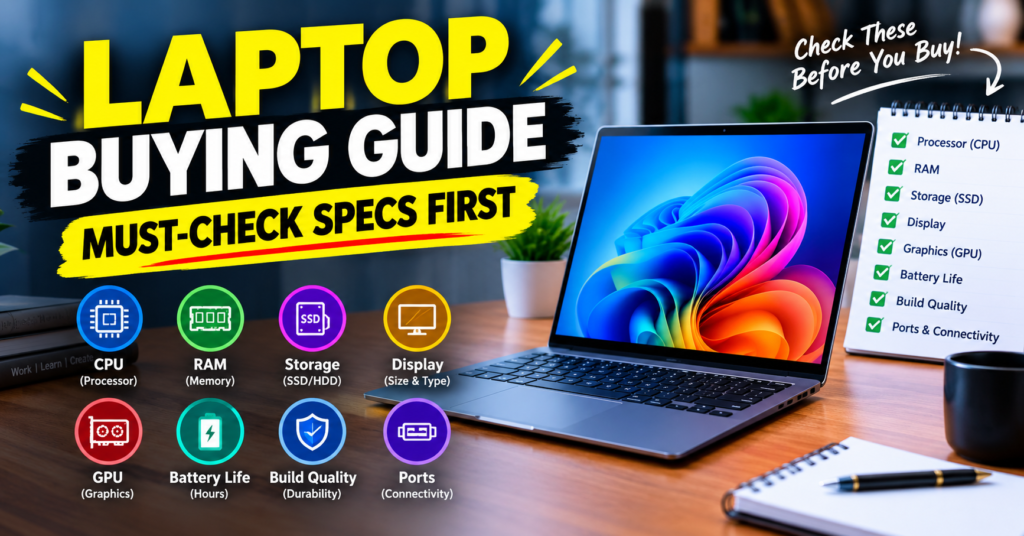
Laptop Buying Guide: Must-Check Specs First before you spend a single rupee. Buying a laptop in India in 2026 is confusing. Same budget, 50 different models. One shopkeeper says “take i7,” Flipkart says “take Ryzen 7,” and your friend says “just buy a MacBook.”
Stop. Don’t look at brand first. Don’t look at discounts first.
Check the specs first. This Laptop Buying Guide breaks down exactly what to check, in what order, so you don’t overpay for power you won’t use — or worse, buy a slow laptop you’ll regret in 6 months.
Whether you are a student, office worker, video editor, or gamer, the rules below apply to everyone.
Buy: Dell 15 SmartChoice Intel 13th Gen Core i5-1334U
1. Decide Your Use-Case First — This Decides Everything
Most people start with budget. That’s a mistake. Start with work.
Ask yourself: What will this laptop do 90% of the time?
- Students & Office Work: Online classes, Google Docs, Excel, Zoom, YouTube, browsing with 10-15 tabs. You need good battery, light weight, and fast SSD — not a powerful graphics card.
- Creators & Editors: Premiere Pro, Photoshop, DaVinci Resolve, AutoCAD. You need a strong CPU, 16GB RAM minimum, good colour-accurate display, and ideally a dedicated GPU.
- Gamers & Heavy Users: GTA V, Valorant, BGMI on emulator, 3D rendering, coding with VMs. You need a gaming-grade CPU + GPU combo and good cooling.
- Home / Parents Use: Movies, WhatsApp Web, banking, basic storage. Don’t overspend here.
Once this is clear, every spec below becomes easy to choose. A student buying a gaming laptop is wasting money. An editor buying a thin office laptop is wasting time.
2. Processor (CPU): The Brain — Never Compromise Here
This is the #1 spec to check. A good processor keeps your laptop fast for 4-5 years. A weak one makes even a new laptop feel slow.
For 2026, follow this simple rule in India:
Good for Students / Office:
- Intel Core i3 13th Gen and above / Intel Core 5 (new naming)
- AMD Ryzen 5 7530U / 7640U and above
- Apple M1 / M2 (if going for MacBook Air, still excellent for students)
Avoid Intel Celeron, Pentium, N4020, N4500 in 2026. They are cheap for a reason. Shops push them during sale season under Rs. 30,000. Don’t buy them unless it’s only for kids’ online classes.
Good for Creators / Coders / Office Power Users:
- Intel Core i5 13th / 14th Gen H-series or Core Ultra 5
- AMD Ryzen 7 7735HS / 7840U / 8845HS
- Apple M2 / M3 for video editing
Good for Gaming / 3D / Heavy Editing:
- Intel Core i7 13th Gen HX / 14th Gen HX or Core Ultra 7
- AMD Ryzen 7 7840HS / Ryzen 9 7940HS
- Apple M3 Pro / M4 (if budget allows)
Intel vs AMD vs Apple? For most buyers under Rs. 60,000, AMD Ryzen 5 / Ryzen 7 gives better multi-tasking and battery than Intel at the same price. That’s why you see so many Asus Vivobook 15 and Acer Aspire models with Ryzen selling fast.
For video editing and long battery life, MacBook Air M1/M2 is still the king if your software supports macOS.
Pro tip: Don’t just see “i7”. An i7 12th Gen U-series (thin-and-light) is slower than an i5 13th Gen H-series (performance). Always check the full model number and whether it ends with U (battery saver), H / HS / HX (performance).
Also Read: Is the NEW iPad Mini 8 Actually Worth the Upgrade?
3. RAM: 8GB is Minimum, 16GB is the Sweet Spot
RAM decides how many things you can do at once without lag.
- 8GB: Okay for students, office, browsing in 2026. But make sure it’s DDR4 or DDR5 and in dual-channel if possible. Single 8GB stick is slower.
- 16GB: Must-have for coding, Photoshop, video editing, stock trading with multiple screens, and anyone who keeps 20 Chrome tabs open. This is what we recommend to 70% of buyers.
- 32GB: Only for 4K video editing, 3D, heavy programming, VMs.
Two must-check points:
- Is RAM upgradeable? Many thin laptops have soldered RAM. If you buy 8GB soldered, you are stuck forever. If the laptop has an extra slot, you can start with 8GB and upgrade later to 16GB for Rs. 2,500-3,500.
- DDR4 vs DDR5: DDR5 is faster and more power-efficient. If two laptops are at the same price and one has DDR5, pick DDR5.
For Indian buyers: Don’t pay Rs. 10,000 extra just for 16GB from the brand. Sometimes buying the 8GB version + upgrading RAM yourself at a local shop is cheaper and doesn’t void warranty on most brands like HP, Lenovo, Asus — just confirm first.
4. Storage: SSD is Non-Negotiable
If a laptop still has only HDD in 2026, reject it. Even a Rs. 32,000 laptop must have SSD.
- 256GB SSD: Minimum. Okay only if you use cloud storage and don’t install games or editing software.
- 512GB SSD: Best for most people. Windows + Office + a few games + photos fit comfortably.
- 1TB SSD: For editors, gamers, anyone storing 4K videos.
Check this:
- NVMe SSD vs SATA SSD: NVMe is 5-6x faster. Almost all new laptops have NVMe, but some cheap models still use slower eMMC storage — avoid eMMC.
- Gen 3 vs Gen 4: Gen 4 is faster, but for daily use you won’t feel a big difference. Don’t pay extra just for this.
- Extra slot: Does the laptop have a second SSD slot? Gaming laptops and many 15.6-inch office laptops do. Very useful — you can add 1TB later when prices drop.
Practical advice: 512GB NVMe + option to expand is better than 1TB soldered with no upgrade path.
5. Display: The Part You See Every Day
People ignore display and then complain about eye strain and dull colours. Don’t.
Size:
- 14-inch: Best for college, travel, office. Light (1.3-1.5 kg), easy to carry.
- 15.6-inch: Best for home, coding, Excel, editing timelines. Slightly heavy but more screen space.
- 16-inch / 17-inch: Only for gaming and editing desks. Not for daily carrying in local trains or buses.
Resolution:
- Full HD (1920 x 1080) is minimum. Don’t buy HD (1366 x 768) in 2026 — text looks blurry.
- 2K / 2.8K OLED is worth it for editors and movie lovers, but battery drains faster.
Panel Type:
- IPS: Must-have. Better colours and viewing angles than old TN panels.
- OLED: Beautiful colours, deep blacks. Great for content watching and photo editing. But slightly more expensive and can have screen burn-in if you keep static images for hours.
- Refresh Rate: 60Hz is fine for office/study. 120Hz/144Hz is smoother for gaming and scrolling. If you’re a Valorant / BGMI player, go 144Hz.
Brightness & Colour: For India with bright rooms, look for 300 nits or more. If you do photo/video editing, look for 100% sRGB coverage. Most budget laptops give only 45% NTSC (dull colours) — that’s okay for Excel, not okay for editing.
Anti-glare coating is very useful for classroom and office tube lights.
Buy: Apple 2026 MacBook Neo 13″ Laptop with A18 Pro chip
6. Graphics (GPU): Only Pay If You Need It
This is where brands upsell you the most.
- Integrated GPU (Intel Iris Xe, AMD Radeon 780M, Apple M-series GPU): Enough for students, office, 4K movies, Photoshop basics, and light editing. The new AMD 780M can even play GTA V and Valorant at medium settings.
- Dedicated GPU (RTX 3050 / RTX 4050 / RTX 4060): Must for serious gaming, 3D, Blender, AutoCAD, DaVinci Resolve effects. For video editing, an RTX 4050 will export videos almost 2x faster than integrated graphics.
Don’t buy a gaming laptop just for “future proofing” if you don’t game. You will carry 2.3 kg weight, get 3-hour battery, and loud fans for no benefit.
And check VRAM: RTX 4050 with 6GB is far better for 2026 games than RTX 3050 with 4GB. Always check TGP wattage too — a 75W RTX 4060 is slower than a 115W RTX 4060, even though the name is same.
7. Battery Life: Check Real Hours, Not Company Claims
Every brand claims “up to 12 hours.” Real life is different.
- Students / Travel: Look for 55Wh battery or bigger + U-series / Apple M-chip. Expect 7-10 hours real browsing.
- Creators / Gaming: Expect 4-6 hours. Gaming laptops give 3-4 hours on battery — they are meant to be used plugged in.
What to check:
- Battery size in Wh, not just “hours.” 70Wh lasts longer than 45Wh with same usage.
- Charging: 65W USB-C fast charging is super convenient. You can charge with a power bank or phone charger in emergency.
- Reviews: Check YouTube reviews for real battery test, not just Flipkart specs.
For Indian power-cut areas, a laptop that charges fast in 60-90 minutes is a lifesaver.
8. Build Quality, Weight & Keyboard
You will touch and carry this machine daily for 3-4 years.
- Weight: Under 1.5 kg for students. Under 1.8 kg for office 15.6-inch. Gaming 2.2 kg+ is normal, don’t complain later.
- Build: Metal lid is better than full plastic. But good-quality plastic (Lenovo IdeaPad, HP 15s) is fine if hinges feel solid. Check hinge wobble in store at Croma or Reliance Digital before ordering online.
- Keyboard: Backlit keyboard is must if you work at night. Check key travel — HP and Lenovo keyboards are generally better for long typing than some ultra-thin models.
- Touchpad: Big precision touchpad with Windows gestures saves you from carrying a mouse. MacBooks are still best here.
- Webcam & Mic: After online classes and WFH, don’t ignore this. Look for 1080p webcam + dual mic with noise reduction. 720p looks grainy on a 15-inch screen.
- Speakers: If you watch movies without earphones, check for Dolby Audio, front-firing speakers. Bottom-firing single speaker sounds dull on bed.
Also Read: iPhone 17 Pro Max vs iPhone 18 Pro Max – Upgrade or Skip?
9. Ports & Connectivity: Small Things That Irritate Later
Check the sides of the laptop in photos:
Must-have in 2026:
- 1x USB-C with charging + display out
- 2x USB-A for pendrive, mouse, printer
- HDMI for projector / TV / external monitor
- 3.5mm audio combo
- Wi-Fi 6 / Wi-Fi 6E + Bluetooth 5.2 or above
For creators: SD card reader is gold. You won’t need to carry a dongle for camera transfers.
For office: Ethernet port is rare now, but if you use office LAN, keep a USB-to-LAN adapter.
Avoid laptops with only 2x USB-C and nothing else unless you are okay living on dongles (some premium ultrabooks do this).
10. Operating System & Software
- Windows 11 Home: Best for most. Gaming, Office, Tally, coding — everything runs.
- Windows 11 Pro: Only needed for office domain join, BitLocker. Students don’t need it.
- macOS: Great for editing, coding, battery life. But Tally, some government exam software, and many cracked PC games don’t run. Check your college software compatibility first.
- DOS / Ubuntu (No Windows): Rs. 4,000-6,000 cheaper on Flipkart. Good deal if you can install Windows yourself or you use Linux. But beginners should stick to Windows pre-installed with MS Office trial.
Also check: Is MS Office pre-installed (Home & Student 2021)? That saves Rs. 8,000-9,000 separately.
11. Warranty & After-Sales in India — Super Important
Specs mean nothing if service is bad in your city.
- Always take 1-year onsite warranty minimum. For HP, Dell, Lenovo, onsite means engineer comes home — very useful in Tier 2 / Tier 3 cities.
- Check service centre availability in your city before buying Asus, MSI, Apple. In metros it’s fine, in small towns Dell / HP / Lenovo have wider reach.
- Extended warranty: Worth it for gaming laptops (they heat more). For thin student laptops, usually not needed.
- Accidental Damage Protection (ADP): Worth Rs. 2,000-3,000 if you travel daily with laptop in bag. One display replacement costs Rs. 8,000-12,000 without ADP.
- Buy from Amazon, Flipkart, Croma, Reliance Digital, or brand store with GST invoice. Needed for warranty claim.
Laptop Buying Mistakes to Avoid
- Buying i7 with 4GB RAM and HDD — Unbalanced combo shops push to clear old stock. CPU is strong but system will still lag.
- Paying extra for touch screen you won’t use — Drains battery, adds weight and cost. Only useful for designers with stylus.
- Ignoring display for Rs. 2,000 discount — You’ll see that dull screen for 4 years.
- Buying gaming laptop for college just for looks — You’ll hate carrying 2.5kg + 1kg charger in backpack.
- No SSD / Single-channel RAM / No upgrade slot — Always ask seller: “RAM and SSD upgradeable?”
Quick Spec Cheat Sheet by Budget (India)
Under Rs. 40,000 — Student / Home: Ryzen 5 7530U / i3 13th Gen / 8GB DDR4 / 512GB NVMe / 15.6″ FHD IPS / 50Wh+ battery / Backlit keyboard if possible
Rs. 50,000 – Rs. 60,000 — Best Value for Most Buyers: Ryzen 7 7735HS / i5 13th Gen H / 16GB DDR4 or DDR5 / 512GB NVMe / FHD IPS 300 nits / USB-C charging / Metal build preferred
Rs. 70,000 – Rs. 90,000 — Creators / Coders / Gamers: i7 13th/14th HX or Ryzen 7 7840HS / RTX 3050 or RTX 4050 6GB / 16GB DDR5 / 1TB NVMe / 144Hz IPS or OLED / Good cooling + 70Wh+ battery
Above Rs. 1,00,000: MacBook Air M2/M3 for editing + battery life, or RTX 4060 gaming laptops for heavy gaming + 3D.
Prices change during Big Billion Days and Great Indian Festival — same laptop can drop Rs. 8,000-12,000. If not urgent, wait for sale.
FAQs
Which laptop is best for students in India? A 14-inch Ryzen 5 / i5 with 16GB RAM, 512GB SSD, FHD IPS display under 1.5kg. Light, fast, and battery lasts full college day.
Is 8GB RAM enough in 2026? Yes for office, browsing, online classes. No for video editing, heavy coding, gaming. If your budget allows, go 16GB — you won’t need to upgrade for 4 years.
SSD or HDD — which is better? Always SSD. Windows boots in 12-15 seconds on SSD vs 1-2 minutes on HDD. Even 256GB SSD + 1TB HDD combo is slower than pure 512GB SSD for daily use.
Intel or AMD — which to buy? Under Rs. 60,000, AMD Ryzen 5/7 usually gives better battery and multi-tasking value. For office with Intel-specific software, Intel i5 is safer. Both are good — check exact model number, not just brand.
How much storage do I need? 512GB for 90% users. 1TB if you edit videos or store games. Don’t pay huge premium for 1TB from brand — you can add external SSD later.
Final Word from USNMix
Friends, don’t buy by brand name or sale banner. Buy by specs. If you check CPU, RAM, SSD, display, and battery in that order — matching your actual use — you will never regret your laptop.
If you plan to buy a specific model, check our unboxing and review videos on USNMix channel where we show real performance, display quality, and price in Indian Rupees, or drop your budget and use-case in the comments — we’ll help you pick.
Hope you enjoyed this guide and thanks for reading.
Buy: ASUS TUF F16,Smartchoice,Intel Core 5 210H Gaming Laptop
1 thought on “Laptop Buying Guide: Must-Check Specs First”