Building a $700 Gaming PC in 2026 – Full Build Guide
Building a $700 gaming PC in 2026 is tough with high RAM prices. This full guide gives you the best $700 parts list, benchmarks, step-by-step build, and upgrade path for smooth 1080p gaming.
If you are building gaming pc 2026 on a tight budget, let me be honest with you upfront — $700 does not go as far as it did two years ago.
RAM and SSD prices are the highest they have been in several years. DDR4 that used to cost $35-40 is now selling for $99+. DDR5 is even worse. That has pushed what used to be a $500 budget build to almost $670 in 2026.
But here is the good news: you can still build a very capable 1080p gaming pc for $700 if you pick the right platform and avoid wasting money on RGB and features you don’t need.
This guide is based on real 2026 market pricing and tested budget combos, including the $668 January 2026 formula proven by GamersNexus. No theoretical parts, no out-of-stock GPUs. Just a gaming pc build you can actually buy and assemble this week.
Friends, let’s talk about the full parts list, why each part makes sense, step-by-step assembly, expected FPS, and how to upgrade this PC later.
Buy: ASUS T500 Gaming Tower PC
What Can a $700 Gaming PC Do in 2026?
Let’s set the right expectations. This is not a 4K monster. This is a smart 1080p machine.
A properly balanced $700 gaming pc 2026 build will give you:
- Esports / Lightweight games: 120-200+ FPS at 1080p Low-Medium — Valorant, CS2, Fortnite Performance Mode, Dota 2, Marvel Rivals
- Modern AAA games: 60-80 FPS at 1080p Medium — ARC Raiders, Battlefield, Quarantine Zone: The Last Check, Dead by Daylight
- Content work: Smooth 1080p video editing, streaming with GPU encoding, coding, and college work
If your goal is a 144Hz 1080p monitor for competitive play plus enjoyable single-player gaming, this budget hits the sweet spot.
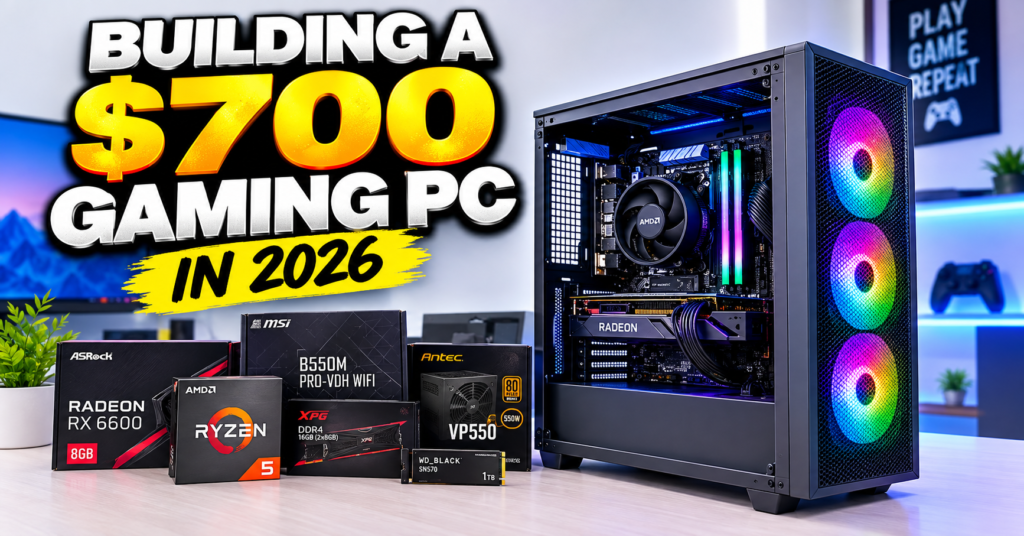
The Best $700 Gaming PC Parts List for 2026
This is our recommended core build for January-September 2026. Prices fluctuate daily, but this lands between $668 to $710 depending on sales.
| Component | Our Pick 2026 | Approx. Price (USD) |
|---|---|---|
| CPU | AMD ryzen 5 5500 (6-Core, 12-Thread + Wraith Stealth Cooler) | $92 |
| GPU | Sparkle Intel Arc B570 Guardian OC 10GB | $199 – $219 |
| Motherboard | ASRock B550M-HDV Micro-ATX | $70 |
| RAM | 16GB (2x8GB) DDR4 3200MHz CL16 – KingBank / Patriot Viper Steel / Silicon Power | $99 |
| SSD | Crucial P310 1TB PCIe Gen4 NVMe M.2 | $75 – $85 |
| Power Supply | Lian Li RB 550W 80+ Bronze | $55 – $65 |
| Case | BitFenix Nova Mesh SE TG ARGB | $55 – $65 |
| Cooler | AMD Stock Wraith Stealth (Included with CPU) | $0 |
| Total | ~$668 – $700 |
Copy keywords
For India readers: This same build costs around Rs. 58,000 to Rs. 62,000 in India via Amazon.in, MDComputers, and Vedant Computers. Look for Ryzen 5 5500 under Rs. 8,500 and Arc B570 around Rs. 18,500-20,500. If Arc is not available, an RTX 3050 6GB or used GTX 1660 Super is the closest alternative.
You still need Windows 11 (free to install, pay later for license) or Linux, which we will cover below.
Part-by-Part Breakdown: Why These Parts?
1. CPU: AMD Ryzen 5 5500 – Still the Budget King
The ryzen 5 5500 was poorly reviewed at launch, but in 2026 it makes complete sense at $92 including a cooler.
It has 6 cores and 12 threads on Zen 3 architecture. It uses cheap AM4 motherboards and cheap DDR4 RAM, which saves you $80-100 compared to going AM5 + DDR5.
Important notes: It only supports PCIe Gen3 for the GPU, but with an Arc B570 at 1080p, you lose 2-4% performance at most — not a dealbreaker. If you find a Ryzen 5 3600 at the same price or cheaper, grab it. It has more L3 cache and performs slightly better in some cache-sensitive games. We still recommend it even 6 years after launch.
Avoid the trap of buying a newer Ryzen 5 8400F or i3-12100F for this budget — once you add DDR5 + cooler cost, you blow the $700 budget.
Also Read: Is the New Google Pixel Tablet Worth It? 2026 Review & India Price
2. GPU: Intel Arc B570 10GB – Best Value Under $220
This is the most important choice in the whole build.
In 2026, NVIDIA and AMD have abandoned the sub-$220 market. The RTX 5050 starts higher and often sells over MSRP. The Arc B570 at ~$200 with 10GB VRAM is the only new GPU that gives you playable modern 1080p performance with room for high textures.
Why B570 over B580? The B580 is 12-15% faster and has 12GB VRAM, but costs $50-60 more. If you can stretch to $750, get the B580. If you must stay at $700, B570 is the smart pick.
Driver tip: Intel drivers in 2026 are far more stable than 2023-24. For older DirectX 9 games you may still see quirks, but for Fortnite, Valorant, Warzone, and new AAA titles, Arc is now solid. Always do a clean driver install with Intel Arc Graphics Driver + Intel PresentMon.
Used alternative: A used RTX 2060 Super or RX 5700 XT for $130-150 on eBay / OLX can save money, but you lose warranty and AV1 encoding. For a first-time builder, new B570 is safer.
3. Motherboard: ASRock B550M-HDV – Basic But Enough
At $70, this is as cheap as a reliable B550 board gets. You get:
- PCIe 4.0 M.2 slot for your Gen4 SSD
- 6x USB-A ports
- Solid support for Ryzen 5000 out of the box
What you don’t get: Wi-Fi, USB-C front header, VRM heatsinks. The Ryzen 5 5500 is only 65W, so VRMs are fine as long as you have airflow.
Worth the $20 upgrade? Yes, if you need Wi-Fi. The ASRock B550 Phantom Gaming 4 AC at ~$90 gives you onboard Wi-Fi, full ATX size, 4 RAM slots, and VRM heatsinks. For most Indian homes where the router is in another room, that $20 saves you buying a separate Wi-Fi adapter.
Also Read: Is the NEW iPad Mini 8 Actually Worth the Upgrade?
4. RAM: 16GB DDR4 3200MHz CL16 – The Painful Part
Okay friends, now let’s talk about the sad reality.
Memory makers — Samsung, SK Hynix, Micron — are allocating most supply to AI data centers, not retail. Result: 3x to nearly 5x price hike since late 2025. Even DDR4 is affected.
For this build: Do NOT buy single-channel 1x16GB. Ryzen needs dual-channel. Buy 2x8GB 3200MHz CL16 minimum for good frame-time pacing, especially since the 5500 has smaller L3 cache.
Good 2026 picks: KingBank 3200 CL16, Patriot Viper Steel 3200 CL16, TeamGroup T-Force Dark.
If you multitask heavily (Discord + Chrome + game open), get 32GB (2x16GB) Patriot Viper Steel for ~$170 when on sale. It has much better cost-per-GB. 16GB is still playable in 2026, just close your browser tabs while gaming.
5. SSD: Crucial P310 1TB Gen4 – Don’t Go 512GB
Games in 2026 are 80-150GB each. A 512GB drive fills up after 3 games + Windows. 1TB is the minimum.
The Crucial P310 1TB Gen4 is fast, power-efficient, and often under $80. No DRAM, but with HMB it feels snappy for gaming. Avoid unknown SATA SSDs to save $10 — you will feel the slowness every day.
6. PSU: Lian Li RB 550W 80+ Bronze – Don’t Cheap Out Here
This PC pulls only 300-340W under full gaming load. A quality 550W Bronze is perfect and leaves headroom.
Lian Li’s RB series is a new budget surprise — clean voltage regulation for the price. Alternatives: MSI MAG A550BN, Cooler Master MWE 550 Bronze V2.
Never buy an unbranded “700W gaming PSU” for $30. A bad PSU can kill your entire build.
7. Case + Cooler: Airflow First
The BitFenix Nova Mesh SE TG ARGB at ~$60 gives you mesh front, 3 pre-installed ARGB fans, and tempered glass. That’s unbeatable value.
CPU cooling? The included AMD Wraith Stealth is enough for the 5500. It’s loud under load but keeps temps under 85C. Upgrade later to a Thermalright Assassin X 120 SE ($18-20) for quieter temps if you want.
Buy: ASUS G700,Intel Core Ultra 7,Gaming Tower
How to Build a Gaming PC: Step-by-Step (45-60 Minutes)
If this is your first time learning how to build a gaming pc, don’t worry. If you can plug LEGO, you can build this.
What you need: Phillips screwdriver, clean table, patience. Grab a GN soldering mat or any non-static surface.
1. Prep the motherboard outside the case Install Ryzen 5 5500 (lift arm, match triangle, drop — no force), then install M.2 SSD in the M.2 slot with the tiny screw, then install RAM in slots A2 + B2 (2nd and 4th from CPU) until they click.
2. Install CPU cooler Remove pre-applied plastic, keep pre-applied paste. Screw Wraith Stealth down in X-pattern. Plug its 4-pin cable into CPU_FAN.
3. Prep the case Remove side panels. Install standoffs if not pre-installed. Route the 24-pin and 8-pin CPU power cables through the back before the board goes in.
4. Mount motherboard Carefully lower board, align I/O shield and screw holes. Screw 6-9 screws, snug not tight.
5. Install PSU Fan facing down if case has bottom filter. Screw from back. Plug 24-pin ATX + 8-pin EPS into motherboard.
6. Install GPU Open the top PCIe x16 slot clip. Push Arc B570 in until it clicks. Screw bracket to case. Connect 8-pin PCIe power from PSU.
7. Front panel + fans Connect front panel connectors (PWR SW, HDD LED) per motherboard manual — this is the fiddliest part. Connect case fans to SYS_FAN or ARGB hub.
8. Cable management Tuck excess behind motherboard tray. Good airflow matters more than looking perfect.
9. First boot Connect monitor to GPU (not motherboard), keyboard, power. Press power. You should see ASRock BIOS screen in 15-20 seconds. If no display, re-seat RAM and GPU first.
BIOS Setup, Windows and Drivers
1. In BIOS: Enable XMP / DOCP Profile 1 so your RAM actually runs at 3200MHz, not 2133MHz. Set boot priority to USB. Check CPU temp is 35-50C idle.
2. OS choice:
- Windows 11 Home: Best for Fortnite anti-cheat, Valorant Vanguard, Game Pass. Install via USB Media Creation Tool, skip key for now.
- Linux (Bazzite): Free, lighter, great if you use AMD GPU. But Valorant and some anti-cheat games won’t work. For Arc B570, stick to Windows for least headache.
3. Driver order: Install AMD Chipset driver > Intel Arc GPU driver > Audio/LAN from ASRock site > Windows Update. Then enable Resizable BAR in BIOS for +5-10% Arc performance.
Real Gaming Benchmarks: What FPS to Expect?
At 1080p Medium (our test target for this class):
- Valorant High — 220-280 FPS
- CS2 Medium — 140-180 FPS
- Fortnite Performance Mode — 160-220 FPS, DX12 Medium — 90-120 FPS
- Apex Legends Medium — 110-140 FPS
- ARC Raiders Medium + XeSS Balanced — 70-85 FPS
- Battlefield 2042 Medium — 65-80 FPS
- Cyberpunk 2077 Medium + XeSS — 55-70 FPS
Enable XeSS (Intel’s upscaling) in supported games — it’s a free 30-40% FPS boost with minimal visual loss. Pair this build with a 1080p 144Hz IPS monitor like MSI G242L E14 for the best experience.
Temps to expect: CPU 72-82C gaming with stock cooler, GPU 65-72C. Totally safe.
Also Read: TCL T89D Full Specs: Should You REALLY Buy It?
Upgrade Path: This $700 PC Can Grow
That’s the beauty of AM4 even in 2026:
Next 6-12 months:
- Cooler — Thermalright Assassin 120 SE ($19)
- RAM — Add another 2x8GB or move to 2x16GB 32GB
- Storage — Add 2TB Gen3 NVMe when prices normalize
Next 1-2 years:
- CPU — Drop-in Ryzen 7 5700X3D (used prices falling, huge gaming jump, no motherboard change)
- GPU — RTX 5060 / Arc B580 / RX 9060 class when you have $280-300, your 550W PSU still handles it
You don’t need to rebuild. That’s $700 well spent.
$700 PC vs PS5 vs Prebuilt?
- vs PS5 Digital ($449): PS5 is cheaper and simpler. But PC gives you free online, mods, productivity, emulation, Steam sales, and upgradeability. If you only play story games on TV, PS5 wins. If you play esports + study/work, PC wins.
- vs $700 Prebuilt: Prebuilts at this price in 2026 almost always cut the GPU to a 4GB card or single-channel RAM + junk PSU. DIY gives you 10GB VRAM, dual-channel RAM, and a known PSU. DIY wins every time under $800.
FAQs
Can I build a gaming PC for $700 in 2026? Yes. Focus on Ryzen 5 5500 + Arc B570 + 16GB DDR4 + 1TB Gen4. Expect $668-710. You get smooth 1080p Medium-High gaming. Avoid DDR5 platforms at this budget — they push you to $850+.
Is Intel Arc good for gaming in 2026? Yes for new games. The B570 runs modern 1080p titles well and has 10GB VRAM, which matters more than ever. Older DirectX 9 games may still have minor issues, but Fortnite, Valorant, Apex, and AAA releases are stable.
Should I get Windows or Linux for budget gaming? Get Windows 11 if you play Valorant, Fortnite, or Game Pass. Try Bazzite Linux only if you mainly play Steam games and want a free OS. For Arc GPUs, Windows has better driver support.
How much is $700 PC in India? Around Rs. 58,000-62,000 for the same specs. Import duties make GPUs slightly costlier in India, so check Vedant, MDComputers, and PrimeABGB for combo deals.
What should I upgrade first on this build? Cooler first for noise, then RAM to 32GB if you multitask, then CPU to 5700X3D in 1-2 years. GPU last — B570 will hold 1080p for 2-3 years.
Final Verdict
Building a $700 gaming pc 2026 is harder than before, but not impossible. By going with last-gen AM4 + DDR4 and putting almost 30% of your budget into the GPU, you get a balanced, upgradeable 1080p machine that embarrasses any laptop or prebuilt at the same price.
If you plan to build this PC, product links are in the description box below on our YouTube video. If you have any questions, comment in the comment section.
Hope you will enjoy this build and thanks for reading — and for more unboxings, reviews, and PC guides, subscribe to USNMix and share this guide with a friend planning a budget build.
1 thought on “Don’t Build a $700 Gaming PC Until You See This! (2026 Edition)”