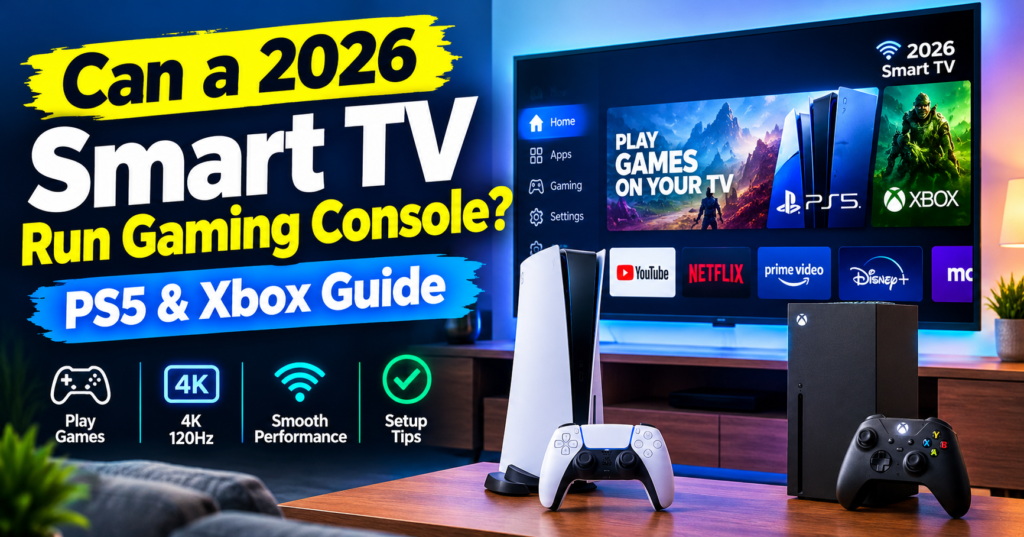
Can a 2026 Smart TV Run Gaming Console? PS5, Xbox and Cloud Gaming Explained
Yes, a 2026 Smart TV can run PS5, Xbox Series X and cloud gaming. Learn HDMI 2.1 setup, 4K 120Hz settings, VRR, and Xbox Cloud on LG / Samsung.
Short answer: Yes. A 2026 smart tv doesn’t just “run” a gaming console — it’s built for it. If you own a ps5 , playstation 5 Pro, xbox series x or even just a controller and Wi-Fi, your TV is now the console, the display, and the app store in one.
But there is a catch. Not every 2026 TV runs games equally well. A budget 4K TV and an oled gaming TV both have HDMI ports, but only one will give you 4K 120Hz, low input lag, and smooth VRR gameplay.
Friends, welcome to USNMix — in this guide we’ll break it down in simple language: what you need, how to connect, which settings to change, and when you don’t even need a console at all.
Buy: LG 65NU870BPLA AI Series Nano 4K Ultra HD Smart webOS LED TV
What Does “Run Gaming Console” Actually Mean in 2026?
When people ask “Can a Smart TV run a gaming console?” they usually mean one of three things:
1. Can I plug my PS5 / Xbox into it? Yes. Every 2026 smart tv has HDMI. You plug in your playstation 5 or Xbox, switch the input, and play. Nothing new here.
2. Can it handle next-gen features — 4K 120Hz, HDR, VRR? This is where 2026 is different. Almost all mid-range and premium 2026 TVs now come with HDMI 2.1, Auto Low Latency Mode (ALLM), and Variable Refresh Rate (VRR). In 2022 this was premium-only. In 2026, it’s standard on most 43-inch and above models from LG, Samsung, Sony, TCL and Hisense.
3. Can the TV play games WITHOUT a console? Yes, and this is the biggest change. Most 2026 smart TVs have Xbox Cloud Gaming, NVIDIA GeForce NOW, and Utomik built into the app store. Pair a Bluetooth controller and you are gaming with no console, no PC.
So the real question is no longer if — it’s how well.
How to Connect a PS5 or Xbox Series X to a 2026 Smart TV
You don’t need any special skill. Here’s the exact gaming setup we use for testing at USNMix:
What you need:
- 2026 Smart TV with at least one HDMI 2.1 port (labeled eARC / 4K 120Hz / Game)
- Ultra High Speed HDMI cable (comes in the box with ps5 and xbox series x — don’t use an old cable)
- PS5 / PS5 Slim / PS5 Pro or Xbox Series X / Series S
- Stable power + internet for updates
Steps:
- Plug the console into HDMI 1 or HDMI 4 — on most 2026 TVs, only 2 ports are full HDMI 2.1. Check the label behind the TV.
- Turn on the TV, go to Settings > Inputs > Enable HDMI Enhanced / 8K Enhanced / Input Plus. Without this, you’ll be stuck at 4K 60Hz.
- On PS5: Settings > Screen and Video > Video Output > Set 120Hz Output to Automatic, VRR to Automatic, ALLM to Automatic.
- On Xbox Series X: Settings > General > TV & Display Options > Set Resolution to 4K UHD, Refresh Rate to 120Hz, check Allow 4K, Allow HDR10, Allow Dolby Vision, Allow VRR.
- Switch the TV to Game Mode. Your input lag will drop from ~80ms to under 10ms instantly.
That’s it. No driver, no app needed.
If you are connecting a gaming PC or CPU to a Samsung Smart TV — one of the top searched questions right now — it’s the same process: HDMI from your GPU to the TV’s HDMI 2.1 port, then on PC set display to 3840×2160 at 120Hz in Display Settings. Use Game Mode + PC label on the input for the lowest lag.
Also Read: Don’t Build a $700 Gaming PC Until You See This! (2026 Edition)
2026 Smart TV Gaming Features That Actually Matter
Don’t get lost in marketing. For console gaming, only 5 specs matter:
1. HDMI 2.1 with 4K 120Hz This is non-negotiable for ps5 and xbox series x . Without it, you lose 120fps modes in Call of Duty, Fortnite, Spider-Man 2, Forza. In 2026, look for at least 2x HDMI 2.1 ports. One will be taken by a soundbar eARC.
2. VRR + FreeSync Premium / G-Sync Compatible VRR syncs the TV to the console to remove screen tearing. Huge difference in Starfield, GTA VI, Alan Wake 2 where frame rates jump up and down. lg OLEDs and Samsung QLEDs in 2026 support both FreeSync and G-Sync.
3. ALLM (Auto Low Latency Mode) Automatically switches to Game Mode when you turn on the console. You forget it’s there until you use a TV without it.
4. Input Lag under 13ms All 2026 gaming TVs advertise this, but test it in Game Mode with local dimming on. Some budget TVs hit 8ms in Game Mode but jump to 25ms+ with motion smoothing on. Turn off all motion processing for gaming.
5. HDR: Dolby Vision Gaming + HGiG Xbox Series X supports Dolby Vision at 4K 120Hz in 2026. PS5 still uses HDR10 + HGiG. For the best HDR, set HGIG on the TV (not Dynamic Tone Mapping) and follow the console HDR calibration.
144Hz panels? Nice for PC, useless for PS5/Xbox — consoles max out at 120Hz. Don’t pay extra just for 144Hz unless you also play on PC.
No Console? How Cloud Gaming Works on 2026 Smart TVs
This is where it gets interesting for India. A console costs Rs. 54,990+ in India. Cloud gaming costs Rs. 0 with Game Pass Ultimate trial or a GeForce NOW subscription.
Most 2026 TVs from LG (webOS 25), Samsung (Tizen 9), and Fire TV / Google TV models have these apps pre-installed:
- Xbox Cloud Gaming (Beta) — play Starfield, Forza, Halo with just an Xbox controller
- NVIDIA GeForce NOW — link Steam, Epic, Ubisoft and stream your PC games
- Amazon Luna / JioGamesCloud — growing fast in India
How to download Xbox Cloud Gaming on lg Smart TV:
This is exactly what thousands are searching for right now:
- Press Home > Go to Apps / Gaming Hub
- Search “Xbox Cloud Gaming” or “Xbox Game Pass”
- Install, open, sign in with your Microsoft account
- Pair your controller via Bluetooth: Hold Pair button on Xbox controller > TV Settings > Bluetooth > Select Xbox Wireless Controller
- Select a game > Play. For 1080p smooth play you need 25 Mbps minimum. For 4K upscaling, 45 Mbps+.
On older LG webOS (webOS 22/23), if you don’t see the app, update firmware first: Settings > Support > Software Update. If still missing, use the built-in web browser at xbox.com/play as a workaround.
No downloads, no 100GB updates. Latency in Delhi/Mumbai on fiber is now 25-40ms — totally playable for story games, racing, sports. Competitive shooters? Still stick to a real console.
Buy: TCL 65P6L 4K Ultra HD Smart LED Google TV
Best Settings for Gaming on a 2026 Smart TV
Copy these settings — they work on 90% of 2026 TVs:
Picture Mode: Game Optimizer / Game Mode (not Standard, not Vivid) Backlight/OLED Brightness: 100 for HDR gaming, 45-50 for SDR night gaming Contrast: 95-100 Sharpness: 0-10 (higher adds fake edge noise) Color Temp: Warm 2 / Warm 50 Local Dimming / Micro Dimming: High for movies, Low/Medium for gaming to avoid blooming lag Motion / TruMotion / MotionFlow: OFF completely Noise Reduction, Super Resolution, Dynamic Contrast: OFF HDMI Input: Enhanced / PC Mode if available Audio: Pass-through + eARC to soundbar, set to Auto delay 0ms
Pro tip from our lab: After a firmware update, TVs often reset HDMI to Standard. If your PS5 suddenly says “120Hz not supported,” check the HDMI Enhanced setting first. It fixes it 9 times out of 10.
Which 2026 Smart TV Is Best for PS5 and Xbox?
You don’t need the most expensive TV. Here’s the honest breakdown:
Best overall for console: lg C5 / G5 oled 55″ / 65″ — 4K 144Hz, 0.1ms response, Dolby Vision 120Hz, 4x HDMI 2.1. Perfect blacks for horror and story games. Price in India: ~Rs. 1,49,990 onwards.
Best for bright rooms: Samsung QN90F / S90F QD-OLED — brighter than LG, great anti-glare, excellent for daytime BGMI cloud + PS5 gaming.
Best value for ps5 : Sony Bravia 7 / TCL C755 / Hisense U7N 55″ — full HDMI 2.1, 4K 120Hz, VRR, ALLM under Rs. 65,000-80,000 during sales. 90% of the gaming experience for half the price.
Avoid for next-gen: Any 2026 TV that says “4K 60Hz” only, or has HDMI 2.0 / ARC (not eARC). It will run the console, but you will never get 120Hz or VRR.
Screen size? For PS5/Xbox in a bedroom, 43-55 inch at 6-8 feet is perfect. For hall gaming setup , go 65 inch. Bigger than 75 inch only if you sit 10+ feet away.
What a Smart TV Still CAN’T Do
Let’s be honest:
- It can’t increase your console’s power. A TV won’t make a PS4 run like a PS5 Pro.
- Cloud gaming still needs fast internet. On 10 Mbps broadband in small towns, stick to a physical console.
- Competitive esports players should still use a 24-27″ monitor — lower lag and higher refresh than any TV.
- Old TVs (pre-2021) lack HDMI 2.1. They will run the console, but lock you to 4K 60Hz.
Also Read: iPhone 17 Pro Max vs iPhone 18 Pro Max – Upgrade or Skip?
FAQs
Can I play PS5 games directly on Smart TV without PS5? Not natively, but you can stream them via PS Remote Play app or GeForce NOW if you own the game on Steam. For full PS5, you still need the console.
Does Smart TV affect FPS? No. FPS comes from the console. The TV affects input lag, smoothness (VRR), and picture quality — not frame rate itself.
Is 60Hz TV enough for PS5? It will work, but you lose Performance Mode (120fps). If you already own a 60Hz TV, it’s fine to start. When you upgrade, prioritize HDMI 2.1.
Can I use keyboard-mouse on Smart TV for gaming? Yes for cloud apps and GeForce NOW. Plug in via USB or Bluetooth. Consoles also support keyboard-mouse in Fortnite, CoD, Valo on Xbox.
Do I need a soundbar for gaming? Not must, but highly recommended. 2026 TV speakers are thin. Even a Rs. 8,000-12,000 soundbar with eARC adds massive immersion in story games.
Final Verdict: Should You Upgrade Your TV for Gaming in 2026?
If you already have a 2026 smart tv with HDMI 2.1 — you’re set. Just enable Game Mode and Enhanced HDMI and connect your playstation 5 or xbox series x.
If you’re still on a 2020-2021 4K 60Hz TV, and you play a lot of 120fps, VRR, or cloud games, 2026 is the best year to upgrade. Prices for oled and Mini-LED gaming TVs in India have dropped 20-30% vs 2023, and every model now ships gaming-ready out of the box.
Hope you enjoyed this guide and thanks for reading. If you plan to buy a gaming TV, check the product links on usnmix.com and subscribe to USNMix on YouTube for full unboxings, PS5 test videos, and price updates in Indian Rupees. If you have any questions, comment in the comment section.
Buy: Sony K-55S25BM2 2M2 Series 4K Ultra HD Smart LED Google TV
1 thought on “Can a 2026 Smart TV Run Gaming Console? PS5 & Xbox Guide”