How to Clean Your TV Screen Safely (Without Damaging It)
How to clean your TV screen safely at home. What to use for LED, QLED, OLED and 4K TVs, what to avoid, and step-by-step streak-free method.
If your Smart TV looks a little dull lately, with dust, fingerprints, or light white marks on the display, you are not alone. In most Indian homes, dust settles on the TV every 2-3 days, especially if the TV is wall-mounted in a hall near a main door or balcony.
And here is the problem — most people clean their TV the wrong way. They use Colin, tap water, newspaper, a rough cotton towel, or too much pressure. On a new LED, QLED, or OLED TV, that one mistake can leave permanent scratches, damage the anti-glare coating, or create cloudy patches that never go away.
This guide explains exactly how to clean your TV screen safely at home, for all types — LED, Smart TV, 4K, QLED, and OLED. No expensive kit needed.
Buy: LG 43NU870BPLA AI Series Nano 4K Ultra HD Smart webOS LED TV
Why You Need to Be Extra Careful With Modern TVs
Old CRT TVs had thick glass. You could almost wipe them with anything.
Today’s flat-screen TVs are completely different. Whether it’s a Mi, TCL, Vu, OnePlus, Samsung, LG, or Sony, the panel has:
- A very thin outer polarizer layer
- An anti-reflective / anti-glare coating
- Millions of tiny pixels just behind that layer
Harsh chemicals and rough cloths strip that coating. Too much pressure can damage pixels and cause backlight bleeding — those light spots you see on a black screen.
That is why every brand manual says the same thing: use a soft, dry cloth first, and liquid only if needed, and never spray directly on the screen.
Rule No. 1: Always check your TV manual once. LG OLED, Samsung QLED, and Sony Bravia all have slightly different cleaning instructions, and warranty will not cover physical damage from wrong cleaning.
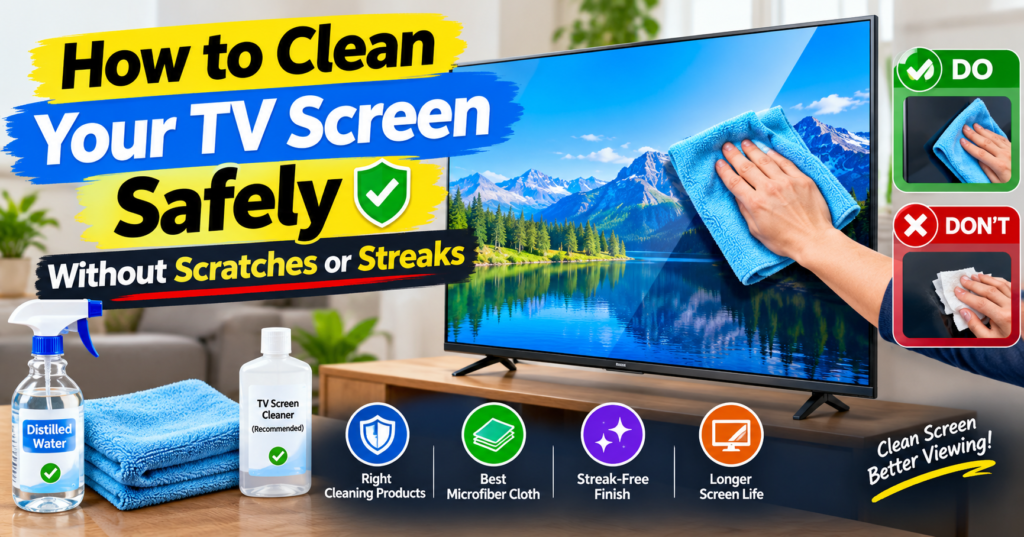
What to Use to Clean TV Screen Safely
You only need 3 things to clean any TV safely:
1. A clean microfiber cloth This is non-negotiable. Not cotton, not hanky, not t-shirt, not towel. Only a soft, lint-free microfiber cloth — the type you get with spectacles or for car dashboard cleaning. Keep 2 separate cloths: one dry for dust, one slightly damp for stains.
If you buy one, buy a 300+ GSM plush microfiber cloth. It costs Rs. 150-250 for a pack of 3 on Amazon India and lasts for a year.
2. Distilled water (best) or a dedicated TV screen cleaner For 90% of cleaning, dry microfiber is enough.
For fingerprints or oily marks, lightly dampen the cloth with distilled water. In India, tap water is hard and leaves white mineral spots, so avoid it. If you must use tap water, use boiled and cooled water.
If you want a ready-made solution, use only a cleaner that is specifically labelled for TV / monitor / laptop screens and is alcohol-free and ammonia-free. Do not use general glass cleaners.
3. A soft brush or air blower (optional) For heavy dust on the back vents and ports, a soft paintbrush or a manual air blower works best.
Also Read: How to Upgrade Your TV Firmware Safely
What NOT to Use — Ever
This is where most damage happens in India:
- Colin or any glass cleaner: Contains ammonia/alcohol. It will eat the anti-glare coating. This is the No.1 cause of cloudy patches.
- Alcohol, sanitizer, acetone, thinner, phenyl, detergent, soap, Surf, Vim: All too harsh for TV panels.
- Tap water sprayed directly: Enters the bottom bezel and damages the panel circuit.
- Newspaper, tissue paper, kitchen towel, rough cotton gamcha: All leave micro-scratches. Paper looks soft but is rough at microscopic level.
- Wet wipes for hands / baby wipes: Contain lotion, fragrance, and alcohol.
If a YouTube hack tells you to use vinegar, shaving cream, or toothpaste on your TV — please ignore it. That works for glass, not for LED/OLED panels.
Step-by-Step: How to Clean TV Screen at Home
Do this once every 10-15 days, or when you see visible dust.
Step 1: Switch off and unplug the TV Switch off the TV and remove the plug from the socket. Cleaning on a black, cool screen helps you see dust and fingerprints clearly. It is also safer. Let it cool for 10-15 minutes if it was running — hot panels streak more.
Step 2: Dry dusting first Take a dry microfiber cloth. With very light pressure, wipe in one direction — either top to bottom or in slow circles. Do not press. Do not scrub.
Start from the top and come down so dust does not resettle on the cleaned area. For corners and edges, fold the cloth to a clean edge.
This dry step alone removes 80% of dust in most homes.
Step 3: Deal with fingerprints and stubborn marks If marks remain, take your second microfiber cloth and make it slightly damp — not wet.
How to do it right: Spray or sprinkle 2-3 drops of distilled water on the CLOTH, never on the TV. The cloth should feel just barely moist. Wring it fully if needed.
Buy: Samsung UA43UE86AHULXL Crystal UHD 4K Vision AI Smart TV
Gently wipe only the marked area in a small circular motion with almost zero pressure. Let the dampness do the work, not your hand.
Step 4: Buff dry immediately Immediately take the dry cloth again and lightly buff the area you just cleaned. This prevents water streaks and spots — the secret to a streak-free finish.
Step 5: Clean the frame, stand, and back Use the same dry cloth for the plastic bezels and stand. For back vents where dust is stuck, use a dry soft brush. Do not push dust inside the vents.
Plug back in only after the screen is fully dry — wait 5 minutes.
Total time: 5 minutes.
How to Clean Different Types of TVs
The basic method above works for all, but keep these points in mind:
LED / LCD / 4K Smart TV (Mi, TCL, Vu, OnePlus, Samsung Crystal 4K, Sony Bravia): These are the most common in India. The dry + slightly damp microfiber method is perfect. These panels show streaks easily, so the final dry buff is important.
QLED TV (Samsung QLED, TCL QLED, OnePlus Q Series): QLEDs have an extra quantum-dot layer but the outer coating is still delicate. Use the same method. Avoid any alcohol-based cleaner — Samsung specifically warns against it.
OLED TV (LG OLED evo, Sony A80L/A95L): Most delicate and most expensive. Be extra gentle. LG recommends only dry cleaning if possible. If you must use liquid, use only distilled water on cloth, minimal moisture. Never press on an OLED panel — pixels are self-lit and pressure can cause permanent lines.
Friends, if you just bought a 55-inch or 65-inch OLED, invest Rs. 200 in a good microfiber set. Do not risk a Rs. 1 lakh+ TV to save Rs. 200.
How to Clean TV Screen Without Streaks
Streaks happen due to 3 reasons: too much water, hard tap water, and wiping on a hot screen.
To get a perfect streak-free look:
- Clean in a cool room, TV switched off for 15 minutes
- Use distilled water only, 2-3 drops on cloth
- Wipe in one direction, not random zig-zag
- Always finish with a dry buff within 30 seconds
- Do not breathe on the screen to create fog — your breath has moisture + tiny oil particles
If streaks are already there, do not add more water. Just take a fresh dry microfiber and buff slowly in circles. They will usually disappear.
Common Mistakes That Damage TV Screens in India
From what we see in service centres and comments on USNMix channel:
1. Spraying Colin directly on screen: Liquid runs down into the bottom bezel and damages the display driver. This causes horizontal lines after a few weeks. Repair costs Rs. 8,000-15,000.
2. Wiping with palm or t-shirt while watching: Oily sweat + pressure = scratches + dead pixels over time.
3. Cleaning daily with pressure: You do not need daily cleaning. Over-cleaning wears the coating. Once in 10-15 days is enough, daily just use a feather duster without touching.
4. Using vacuum cleaner on vents at full power: Static charge can damage the mainboard. Use low suction with brush attachment, kept 2-3 cm away.
5. Letting kids spray water: Keep spray bottles away. Teach family members — only dry microfiber is allowed for daily dusting.
Also Read: Hisense E8S ULED Mini-LED TV Series Features
How Often Should You Clean Your TV?
- Dusty cities (Delhi, Jaipur, Lucknow, Ahmedabad): Light dry dusting every 5-7 days, deep clean every 15 days
- Coastal / humid cities (Mumbai, Chennai, Kochi, Kolkata): Deep clean every 20-25 days, but keep room ventilated. Do not clean on very humid monsoon days — moisture stays longer.
- With cover / closed TV unit: Once a month is enough
- Back vents and ports: Every 2-3 months with soft brush
Pro tip: If you use an air purifier or keep hall windows closed during afternoon dust hours, your TV will stay clean twice as long.
Don’t Forget: Remote, Ports, and Back Panel
A full TV cleaning is not just the screen.
Remote: Remove batteries, wipe with a slightly damp cloth with a drop of mild soap, dry fully. Dirt between buttons can be removed with an old soft toothbrush.
HDMI / USB ports: Switch off power, then blow out dust with a manual blower. Never insert a wet cloth or metal pin inside.
Back panel and stand: Wipe with dry cloth. Check that wall-mount screws are tight and there is 10-15 cm gap behind TV for heat ventilation. Heat + dust is the biggest killer of Smart TV motherboards in India.
When to Call Service Centre Instead of Cleaning
Do not try to clean these yourself:
- Water went inside the screen and you see patches or lines
- Smoke, fungus, or insects inside the panel
- Deep scratch or crack
- Screen flickering after cleaning
Switch off, unplug, and call brand service. Opening the back panel at home voids warranty.
Frequently Asked Questions
Can I use Colin to clean my LED TV? No. Colin and other glass cleaners contain ammonia that damages the anti-glare coating of LED, QLED, and OLED TVs. Use only dry microfiber or an alcohol-free TV screen cleaner.
Can I clean my TV with water? Only distilled water, and only a few drops on the cloth — never spray on TV. Avoid tap water as it leaves white mineral marks.
What is the best cloth for TV cleaning? A clean, soft, lint-free microfiber cloth. Keep one dry and one for damp cleaning. Wash them separately without fabric softener.
How to remove fingerprints from TV screen? Lightly dampen microfiber with distilled water, gently wipe the fingerprint in circles with no pressure, then immediately buff dry with a second dry cloth.
Can I use alcohol wipes or sanitizer on my TV? No. Alcohol strips the protective coating and creates permanent cloudy spots, especially on Samsung and LG TVs.
Keeping your TV clean is simple — dry microfiber first, minimal moisture second, zero pressure always. Do that, and your picture will stay bright and sharp for years.
If you found this helpful, watch our practical Smart TV care and unboxing videos on USNMix channel on YouTube, and read more TV guides on usnmix.com. If you have any questions, comment in the comment section — we reply to every buyer query.
Hope you will enjoy this guide and thanks for reading.